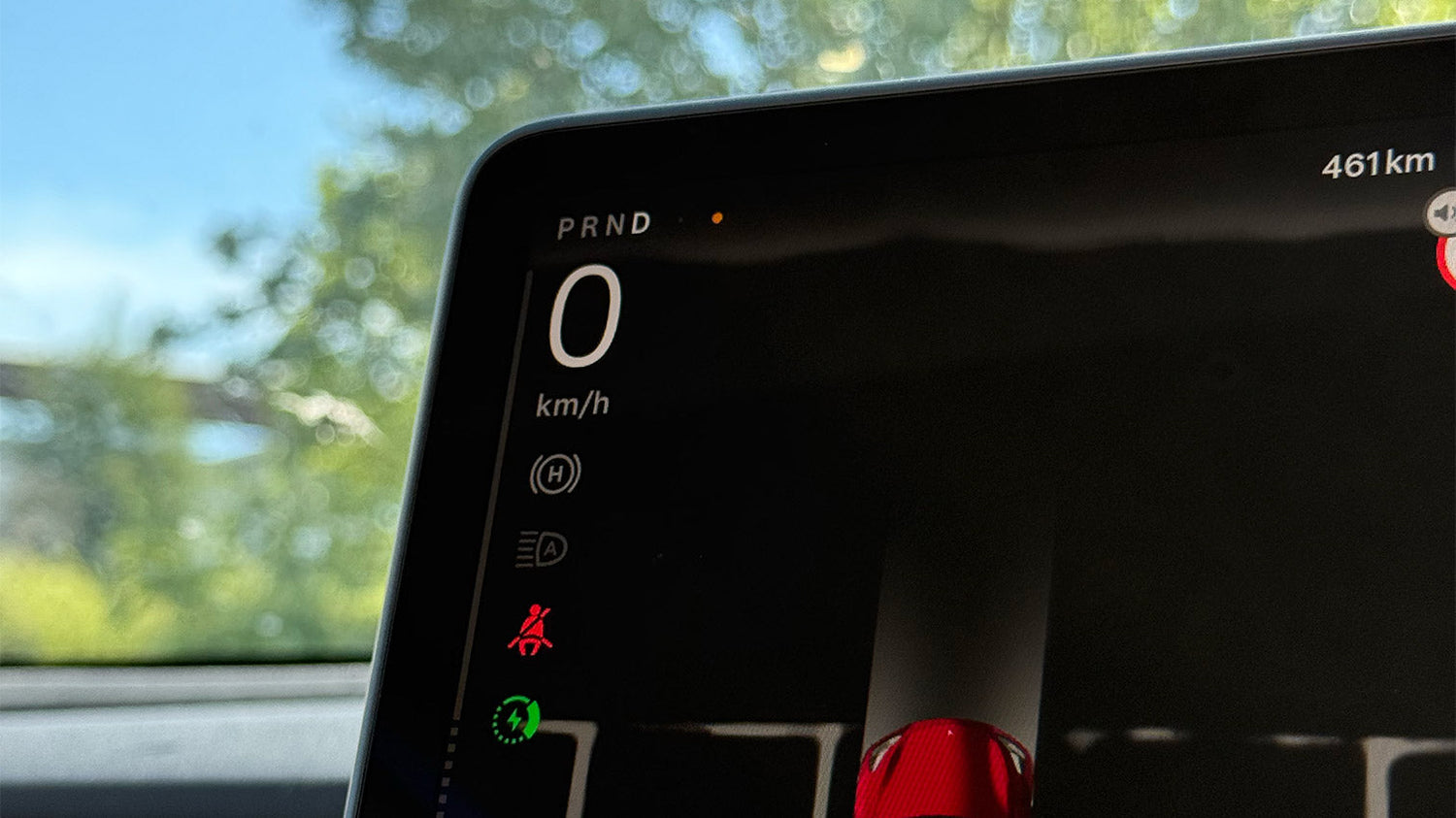
A tiny orange dot at the top of your Tesla's display raises questions: Is it a defect – or is there a method to the madness? In fact, it's a well-intentioned privacy feature that you should understand to drive with peace of mind.
The mysterious orange dot in the Tesla
The dot lights up whenever your vehicle uses the microphone – for example, while you give a voice command or the system is analyzing background noise.
The display disappears as soon as the microphone is inactive. Many drivers initially suspect a pixel defect or a continuous test mode, but neither is the case.
The dot doesn't disappear: Here's what you can do
The orange dot serves as a microphone indicator, similar to modern smartphones. You don't need to do anything unless the dot doesn't disappear:
-
Continue driving with peace of mind – the ad disappears automatically after a few seconds.
-
The dot remains visible even when no microphone is used? Perform a soft reset (press the brake pedal, hold down both steering wheel buttons until the screen restarts).
-
Check software – Ensure your vehicle is running at least version 2025.20.3. If the problem persists, schedule a service appointment.
If you're already paying attention to the display, why not give it some protection: a perfectly fitting Screen protector for Model 3/Y From our shop, it protects the sensitive surface from scratches and fingerprints – installed in minutes, a relaxed view in the long term.
Be honest: Did you know what the orange dot means? Share your experience in the comments!